Best AI Tools for Social Media in 2026
Last updated: September 25, 2026
Here’s the thing nobody tells you about running social media in 2026: posting isn’t the hard part. It’s everything around the posting. What to say. How to say it differently on TikTok versus LinkedIn. Which thirty seconds of your hour-long video are actually worth clipping. What the caption should be on a Tuesday.
That thinking eats your week alive.
For this AiNextory guide, I compared the leading AI tools for social media on the things that actually matter: what each one does, what it really costs, and what real users say about it. A few clearly earn their keep as genuine time-savers. A couple look expensive for what they deliver. What follows is the honest version — nine AI social media marketing tools worth knowing about, what each one really costs, and where each one falls short. No sponsored placements, no filler.
Whether you’re a solo creator juggling Instagram and TikTok, or a small business owner who just needs Facebook and LinkedIn to stop looking abandoned, there’s something on this list for you.
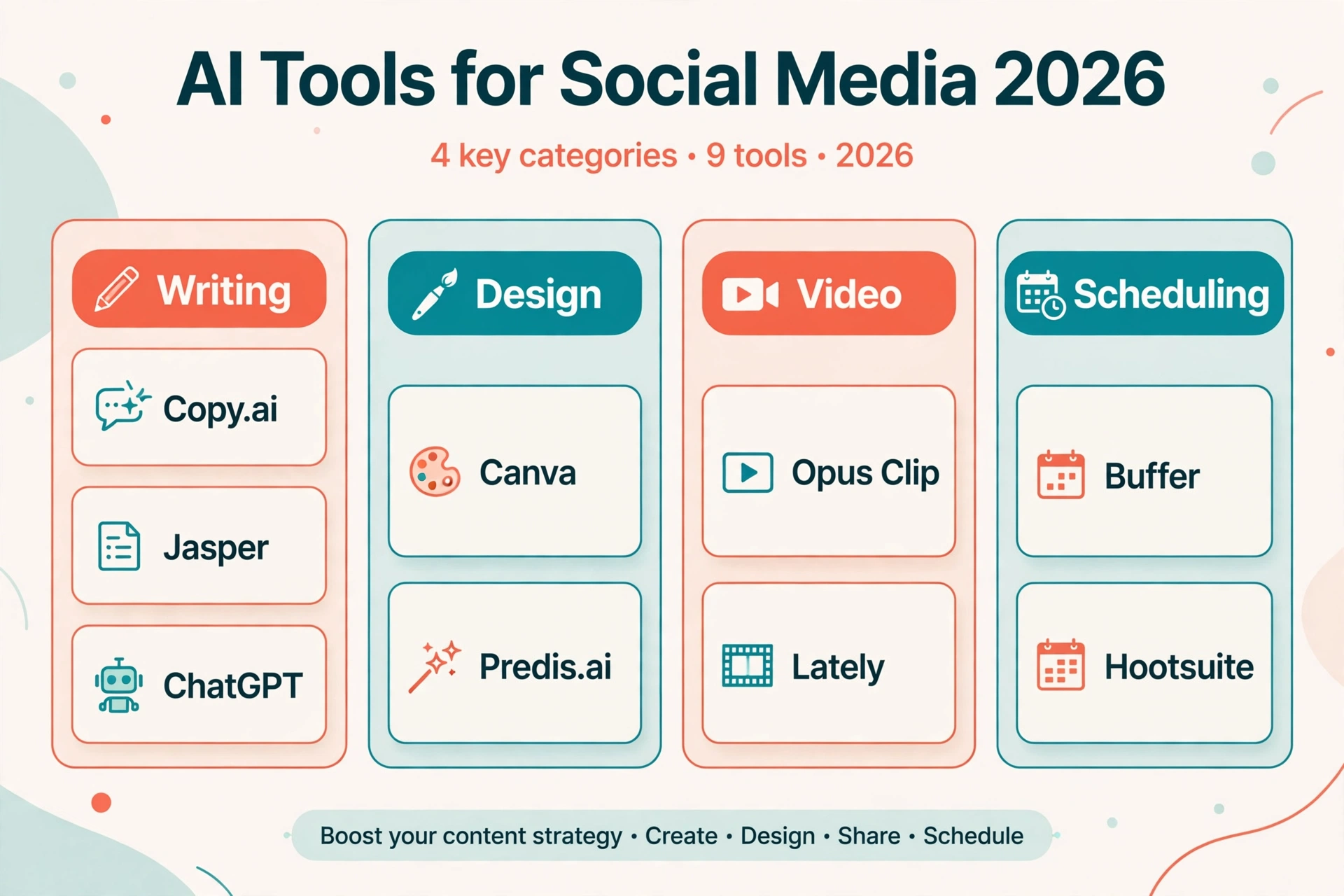
The 9 Best AI Tools for Social Media in 2026 — Quick Comparison
| Tool | Best for | Starting price |
|---|---|---|
| Canva | AI graphics, carousels, and designs | Free; Pro $15/mo |
| Buffer | Simple AI scheduling across platforms | Free; $6/mo per channel |
| Hootsuite | All-in-one management with AI captions | ~$99/mo |
| Predis.ai | AI-generated posts, videos, and scheduling | ~$32/mo |
| Copy.ai | AI captions and copywriting | Free; paid ~$29/mo |
| Jasper | On-brand marketing copy for teams | ~$49/mo |
| Lately | Turning blogs and videos into social posts | $14/mo (annual) |
| Opus Clip | Long video to viral Shorts and Reels | Free; $15/mo |
| ChatGPT | Ideas, captions, scripts, brainstorming | Free; Plus $20/mo |
Prices change fast in this space — the numbers above are as reported in September 2026, and I’ve flagged where a figure couldn’t be fully verified. Always check the tool’s own pricing page before you pay.
How I Picked These Tools
Three rules. The tool had to actually exist with real users (you’d be amazed how many “best AI tools” lists include products that shut down a year ago). I had to be able to verify what it does and roughly what it costs from public sources and reviews. And it had to solve a real bottleneck — writing, design, video, or scheduling — not just slap “AI-powered” on a dashboard.
Let’s get into them — every tool below was compared on features, pricing, and real user feedback for this AiNextory guide.
1. Canva — Best AI Design Tool for Social Media Graphics
You already know Canva. But Canva’s Magic Studio turned it from a template library into a legit AI content creation tool. Describe the graphic you want, and it generates it. Magic Write drafts your caption copy right inside the design. Background remover, Magic Expand, one-click resize for every platform — the boring production work just disappears.
A common example: a small bakery building a week’s worth of Instagram carousels — product shots, price slides, a “weekend specials” post — can realistically get it done in under an hour with these tools. Two years ago that was a half-day job or a freelancer invoice.
Here’s the catch, and it’s a real one: millions of people use the same templates. If you publish straight from a template without changing fonts, colors, or layout, your posts look like everyone else’s. Spend ten minutes making the brand kit yours and this problem mostly goes away.
Pricing: generous free plan; Canva Pro is $15/month or $120/year when billed annually. For most small accounts, the free plan is honestly enough to start.
Best for: creators and small businesses that need good-looking graphics fast without hiring a designer.
2. Buffer — Best Simple AI Social Media Scheduling Tool
Buffer is the scheduling tool I recommend to people who get overwhelmed by dashboards. Connect your accounts, queue your posts, done. Its AI Assistant rewrites your captions, adjusts the tone, and suggests the best times to publish based on when your audience is actually online.
What stands out: Sunday night, you sit down with coffee, draft seven posts, and your entire week is handled. The interface doesn’t fight you. The free plan covers three channels with ten scheduled posts each, which is enough to run a small business presence without paying a cent.
The honest downside: Buffer charges per channel — $6/month per connected account on the Essentials plan. Manage two accounts and it’s cheap. Manage eight and you’re suddenly paying real money. Count your channels before you commit.
Pricing: free plan available; Essentials $6/month per channel; Team $12/month per channel (adds collaboration and approvals).
Best for: solo creators and small teams who want scheduling without the learning curve.
3. Hootsuite — Best All-in-One AI Social Media Management Platform
Hootsuite is the heavyweight. Scheduling, monitoring, analytics, team workflows — and OwlyWriter AI, which generates captions, rewrites posts, and even comes up with content ideas when your brain is empty. Its “best time to publish” feature studies your audience behavior and slots posts when they’re most likely to get seen.
This is the tool for people managing multiple brands or a team of three-plus. The analytics alone justify it if you’re reporting to clients or a boss — clean reports that make you look organized.
But let’s be real: it’s overkill if it’s just you and an Instagram account. The dashboard has a learning curve, and the price reflects the enterprise audience. Hootsuite has also shuffled its plans and pricing more than once, so treat any number you read (including mine) as approximate.
Pricing: paid plans start at around $99/month. Pricing has changed in the past — confirm on Hootsuite’s site before subscribing.
Best for: agencies and marketing teams managing multiple accounts.
4. Predis.ai — Best AI Social Media Post Generator (All-in-One)
Predis.ai is the closest thing to a “social media intern in a box.” You type a short prompt — or paste a product link — and it generates the whole package: the visual, the caption, and the hashtags. Carousels, single-image posts, short videos, even ad creatives. Then it schedules and auto-publishes them to Instagram, Facebook, LinkedIn, TikTok, YouTube, Pinterest, and X from one dashboard.
One standout feature: competitor analysis. It studies what competing accounts are posting and flags what’s working for them. For a small brand with no research budget, that’s genuinely useful intelligence.
Two honest warnings. It runs on credits, and video generation burns through them three to five times faster than static images — so the plan that looks generous on paper can run dry fast if you post a lot of video. And several reviewers note the free trial requires a credit card to activate, so set a reminder to cancel if it’s not for you.
Pricing: paid plans start at around $32/month; a free trial is available.
Best for: small businesses and e-commerce stores that want content creation and scheduling in a single AI tool.
5. Copy.ai — Best AI Caption Generator and Copywriting Assistant
If writing captions is the part you dread, Copy.ai is worth a look. It’s a chat-style AI writing tool with templates built specifically for social media: Instagram captions, LinkedIn posts, video hooks, product descriptions. The Brand Voice feature learns how you write from a few samples and then mimics your tone, which helps with the “this doesn’t sound like me” problem.
I’ll be straight with you: Copy.ai has changed its pricing and plans multiple times, and different review sites currently report different numbers. That’s not a red flag about the product — it’s just a company still figuring out its packaging. Start on the free tier, see if the output matches your voice, and only then consider paying.
Pricing: a limited free plan exists; paid plans start at around $29/month. Verify current pricing on their site before subscribing.
Best for: creators and freelancers who need a fast AI caption generator and don’t want to stare at a blank compose box.
6. Jasper — Best AI Writing Tool for Marketing Teams
Jasper is the grown-up in the room. It’s built for teams producing content at volume: marketing departments, agencies, anyone where five people write social copy and it all needs to sound like one brand. Brand voice training, campaign workflows, integrations with the rest of your stack — it’s a proper content operation tool, not a toy.
Reviewers consistently rate its marketing copy a notch above generic chatbots. It understands calls to action, it handles product launches, and it doesn’t need hand-holding for routine posts.
The flip side: it’s overkill for a solo creator. If you’re one person posting three times a week, you’re paying for collaboration features you’ll never touch. And it’s not the cheapest option on this list.
Pricing: paid plans start at around $49/month. Confirm on Jasper’s site, as tiers have shifted over time.
Best for: marketing teams and agencies that need consistent, on-brand AI copy at scale.
7. Lately — Best AI Tool for Repurposing Content
Here’s a scenario: you record a forty-minute webinar. Then what? For most people, it sits on YouTube with 60 views. Lately takes that webinar — or a blog post, or a podcast episode — and spins it into dozens of ready-to-post social updates, each written in a voice model it learns from your past content.
This is the highest-leverage tool on this list for anyone who already creates long-form content. One blog post becomes two weeks of LinkedIn posts. One podcast episode becomes a month of tweets. You’re not creating more; you’re finally using what you already made.
The catch is the tier gap. The Starter plan covers the basics, but the serious automation and analytics live in the Growth tier, which costs significantly more. Know which tier you actually need before you fall in love with a demo of the expensive one.
Pricing: Starter is $14/month billed annually; Growth is higher. Check their pricing page for current monthly rates.
Best for: bloggers, podcasters, and B2B brands sitting on long-form content they’re not repurposing.
8. Opus Clip — Best AI Video Tool for Shorts, Reels, and TikTok
Short-form video runs social media right now, and Opus Clip is purpose-built for it. Upload a long video — a podcast, a webinar, an interview — and its AI finds the moments most likely to perform, cuts them into vertical clips, adds animated captions, and scores each one for virality potential. It even reframes the shot so faces stay centered in 9:16.
The math, as a rough rule of thumb: a one-hour podcast episode can yield eight to fifteen usable clips. That’s two weeks of TikTok and Reels content from a single recording session. For podcasters and coaches, this tool alone can replace hours of manual editing.
Two things to know. Credits equal minutes of source video you upload — a 60-minute episode costs 60 credits, so size your plan accordingly. And the AI sometimes cuts at awkward moments or misses a subtle point a human editor would catch. Always review clips before they go live. It’s a rough-cut machine, not a finishing editor.
Pricing: free plan with 60 credits/month (watermarked exports); Starter $15/month; Pro $29/month.
Best for: podcasters, YouTubers, and coaches turning long videos into viral short clips.
9. ChatGPT — Best Free AI Tool for Social Media Ideas
No list of AI tools for social media would be honest without ChatGPT. It’s the free brainstorming partner: give it a topic and get thirty content ideas, ten hook variations for a Reel, a week’s worth of LinkedIn posts, hashtag suggestions. The Plus plan’s image generation can even mock up visual concepts.
Its real strength is flexibility. Dedicated tools do one job well; ChatGPT does whatever you describe. Stuck on a caption? Paste your draft and ask for five punchier versions. Need a content calendar? Describe your audience and it builds one.
The weakness is also flexibility: it knows nothing about your brand until you teach it. Feed it examples of posts that performed well, describe your audience, and correct it when it’s off. Treat it like a talented intern — great raw material, but never publish the first draft untouched.
Pricing: free plan available; ChatGPT Plus is $20/month.
Best for: everyone — especially anyone starting with zero budget for AI social media tools.
How to Choose the Right AI Social Media Tool for You
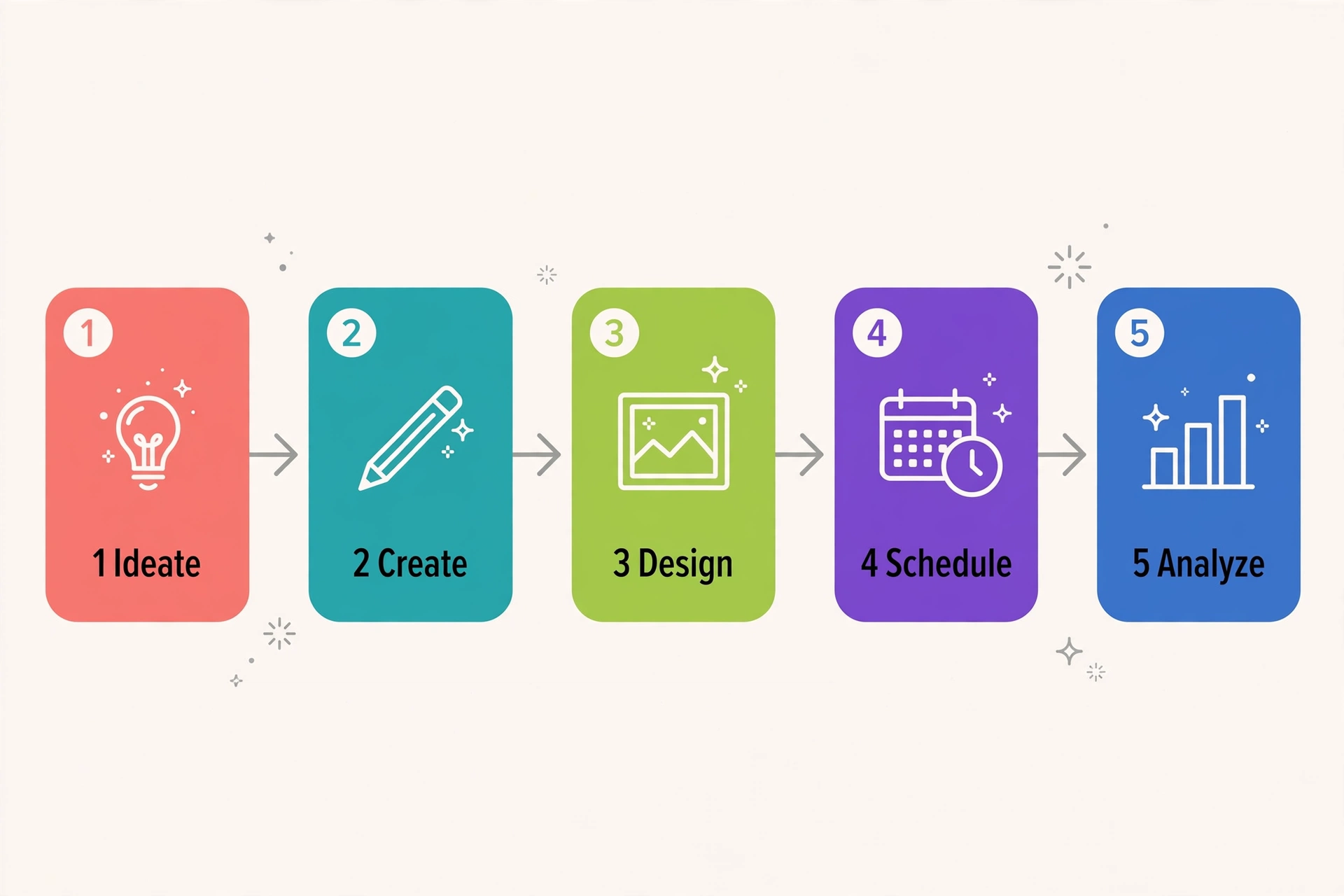
Don’t buy five tools. Find your bottleneck and fix that first.
- Design is your bottleneck? Start with Canva’s free plan.
- Writing captions eats your time? Try Copy.ai or ChatGPT free.
- Sitting on long videos or podcasts? Opus Clip or Lately, depending on your format.
- Just need consistency? Buffer’s free plan handles scheduling for three channels.
- Running a team or agency? That’s when Hootsuite, Jasper, or Predis.ai start making sense.
Start free, add one tool at a time, and only pay when the free tier is genuinely holding you back. Most people need two tools, not nine.
How to Make AI Content Sound Human (Not Robotic)
This is one of the questions AiNextory readers ask most, so let’s address it directly. AI-generated posts have tells: generic openers, perfect grammar with zero personality, and that suspicious enthusiasm about everything. Here’s how to strip the robot out:
- Always edit. Never publish AI output untouched. Change the opening line at minimum — that’s where the “AI smell” lives.
- Add specifics. Names, numbers, places, opinions. “Our sourdough sold out by 10am Saturday” beats “We’re thrilled to announce our delicious baked goods” every time.
- Feed it your voice. Give the tool three of your best-performing posts and say “write like this.” The output gets dramatically better.
- Read it out loud. If you wouldn’t say it to a friend, rewrite it.
- Have an opinion. AI hedges; humans take sides. A mild hot take outperforms a safe platitude.

The tools do the heavy lifting. You supply the humanity. That’s the deal, and it works.
FAQs About AI Tools for Social Media
What is the best free AI tool for social media?
There isn’t one — there’s a free stack. Use ChatGPT (free) for writing and ideas, Canva (free) for graphics, and Buffer (free) for scheduling three channels. That combination covers the entire workflow at zero cost and is genuinely enough for most beginners.
Can AI write my Instagram captions?
Yes, and tools like Copy.ai, Predis.ai, and ChatGPT do it well. The trick is briefing: tell the AI your audience, your tone, and the point of the post. Then edit the result. Unedited AI captions are easy to spot and tend to underperform.
Will AI replace social media managers?
No. AI replaced the tedious parts — first drafts, resizing, scheduling, clipping. Strategy, taste, community management, and knowing what your specific audience finds funny are still human jobs. The managers thriving in 2026 are the ones using these tools, not competing with them.
Are paid AI social media tools worth it?
Depends on volume. Posting three times a week? Free plans are fine. Posting daily across four platforms, or managing clients? A $15–30/month tool that saves you five hours a week pays for itself immediately. Do the math on your own hours.
Final Verdict
If I had to build stacks for three types of people:
- Solo creator on a budget: Canva (free) + Buffer (free) + Opus Clip (free). Design, scheduling, and video clips for zero dollars.
- Small business owner: Predis.ai for done-for-you content generation, or Hootsuite if you want deeper analytics and team features later.
- Marketing team: Jasper for on-brand copy at scale + Lately to squeeze every drop out of your long-form content.
The best AI tool for social media isn’t the one with the longest feature list — it’s the one that fixes your specific bottleneck and that you’ll actually open every week. Pick one, learn it properly, and add a second only when you’ve outgrown the first.
Your audience doesn’t care which tool you used. They care whether the post is worth their three seconds. These nine tools buy you the time to make it worth it.
Found this useful? AiNextory publishes AI tool guides like this one — compared honestly, and built for people who’d rather create than scroll.
Also read: Best AI Tools for Real Estate Agents in 2026